Hello, I made my first extension for Firefox. I uploaded it and it has already been approved by the Add-ons Review Team, but I still cannot see my extension on the store. It has been a day since the extension was reviewed.
Visit the developer hub: Mozilla accounts
Do you see a green “Approved” next to a status?

If yes, click the “More” and then “View product page”, that will open the addons store page with your item.

How do I get that approved status, I filled all fields about the details, product page,etc.
When you click “Manage status and versions”, do you see this?
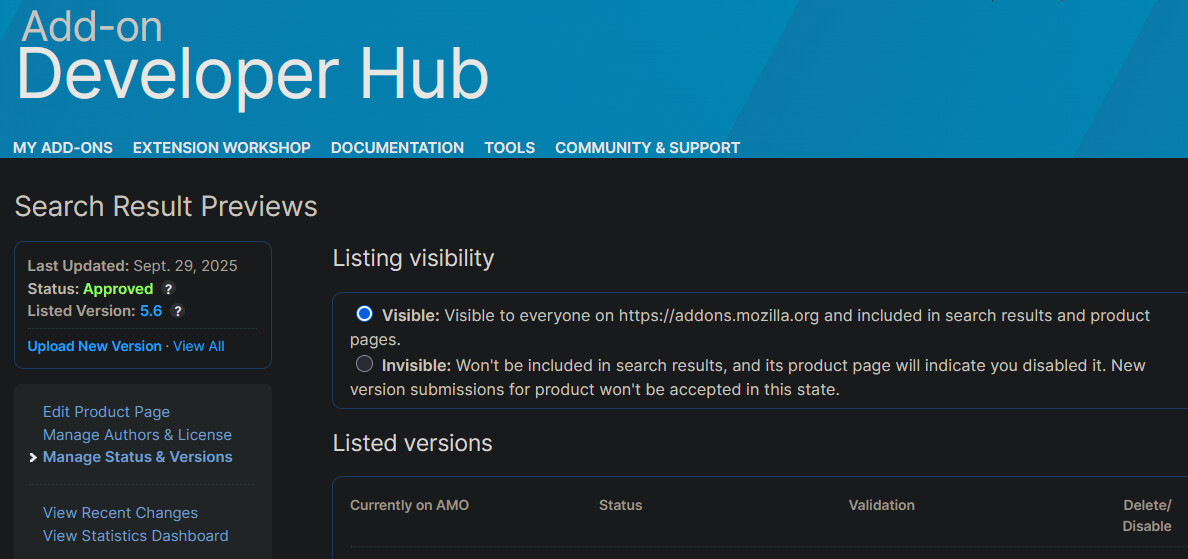
If you don’t see the Listing visibility, then you have likely selected “Self-hosting” option when uploading your addon instead of hosting on AMO.
I’m not 100% sure if you can migrate it to AMO listing, but it has been discussed here before:
@Jesus_Velez_Soto, as @juraj.masiar said, I suspect that you may have published your extension as self-hosted (the “on your own” option) by mistake.

If you don’t think that’s the issue, please provide the extension ID and I’ll take a closer look to see what’s going on.
Hello @dotproto you’re right, the option I had was self hosted, now is publish on this site, I think you know more than I, I’m trying to install my extension but using the cli, did you know how I can do it. the documentation that I found is not good no how to open firefox on kiosk mode and install extension
Firefox does not support installing add-ons from the CLI or otherwise sideloading add-ons. This capability. This capability was removed in Firefox 74 (blog post).
Since you (or whoever using your extension) are executing a custom command to launch Firefox in kiosk mode, I assume you have admin rights to the kiosk computer. In that case, you can use Firefox policies to configure Firefox in a managed environment. Specifically, the Extension Settings policy allows you to set your extension as force_installed, which will install the extension and prevent users from removing it.
As a quick word of caution, working with policies can be challenging if you’re not already familiar with administrating policies on managed computers. Policies are OS-specific and (IMO) can be difficult to debug. It might be easier to start with policies.json than OS-specific policies.